Case 09 / 10
Activity Tracker: a day planner that decides what comes next
A local-first planner that turns the day into an ordered queue, schedules itself around the calendar, and keeps an honest log, so the hard drills stop losing to the easy ones.
Full write-up on Medium: I built a free, local-first day planner so my hard drills would stop slipping. This is the condensed case-study version.
Context
Earlier this year I took on a personal project that needed a few new drills practised daily, on top of a routine I already had. The drills only improve through repetition, and I wanted that improvement to be measurable week over week: the score on each drill against the hours put into it. My first method was to plan the day as it went, picking the next thing whenever the last one ended. What I needed turned out to be a daily planner of the kind founders and busy people run their day with, Sunsama being the best known, and every one of them is paywalled. So I built a free, local-first one.
The problem
Planning hour by hour is a trap with a simple structure. Every unscheduled hour forces a fresh decision; every decision made while tired tilts toward the easier option; so the day drifts toward easy work. Within a week the short, pleasant tasks were done daily and the hard drills were done when there was time left, which meant rarely. Consistency, the one thing I was after, went first. The problem was not discipline. It was renegotiating the day with myself ten times a day, and losing the negotiation.
Approach
Decide once, in order. The day is a queue, not a list, and position is the priority. The queue is ordered in the morning, when the hard drills still get placed near the top, and the rest of the day is execution.
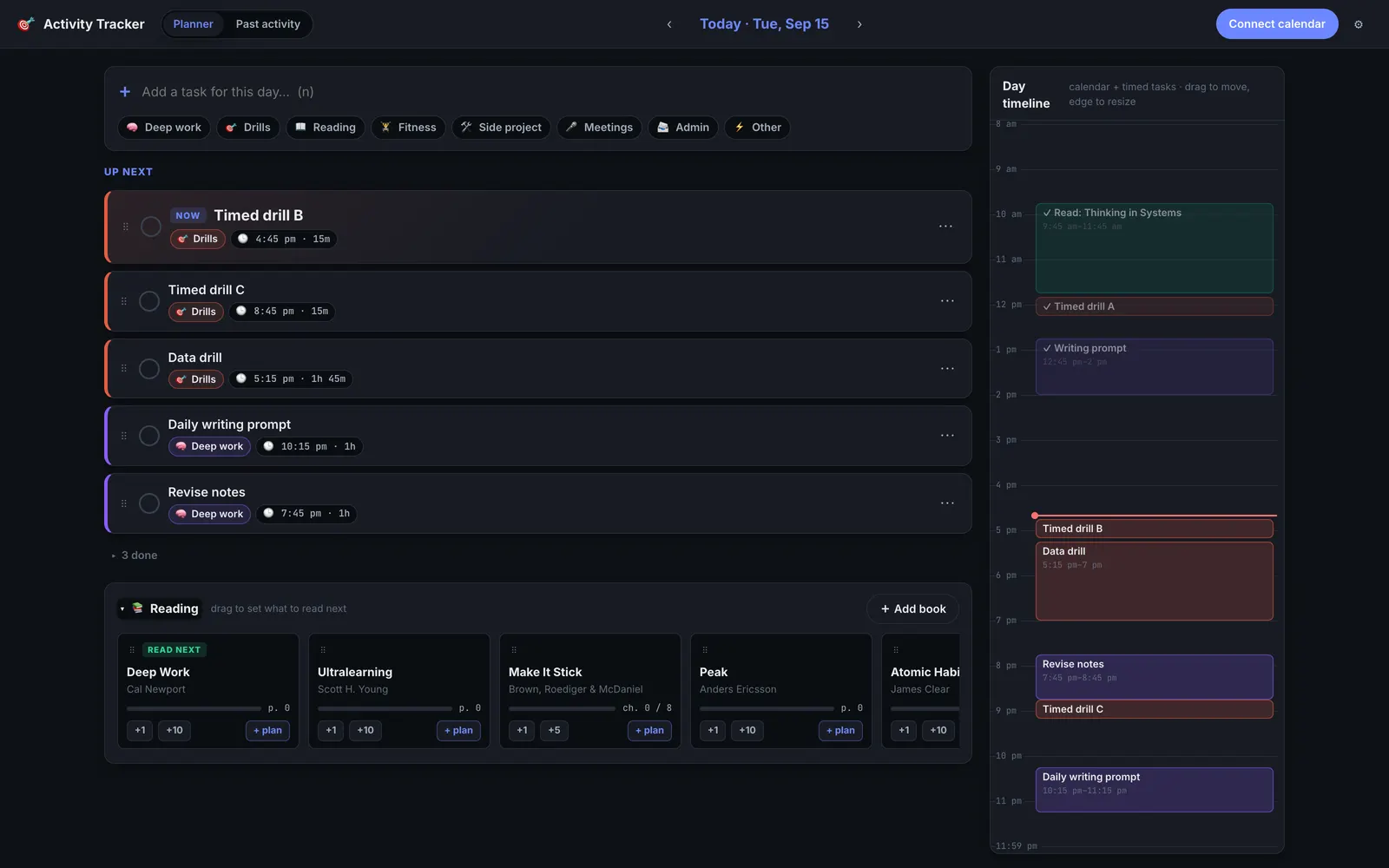
Never ask what comes next. The first unfinished task is always the NOW card, with its slot and duration. Reordering the queue re-sequences the timeline, so the plan on screen and the order of work never disagree.
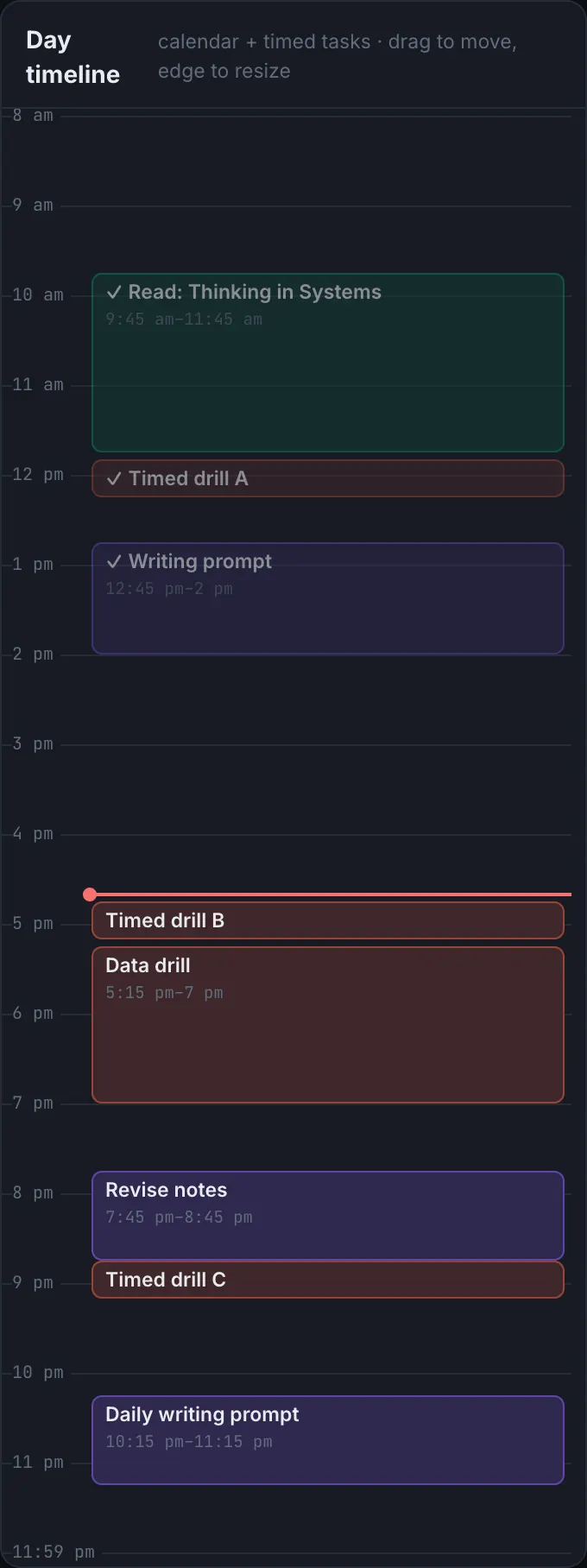
Schedule around reality, then respect intent. Tasks without a time are packed into the free slots between 8am and 10pm, around calendar events pulled from Google Calendar or a read-only ICS feed. Dragging a block pins it, and only unpinned blocks reflow, because a scheduler that moves a block you placed on purpose is one you stop trusting.
Keep the hard thing from going missing. Recurring drills are materialised into each day’s queue on the weekdays chosen for them, and unfinished tasks from earlier days surface in a carry-over banner rather than disappearing.
Make the history honest. Every completion, skip and deletion is appended to a log with a snapshot of the task at that moment, so renaming a category or deleting a task never rewrites the past. A past task still open counts as missed; today’s open tasks do not, because the day is not over.
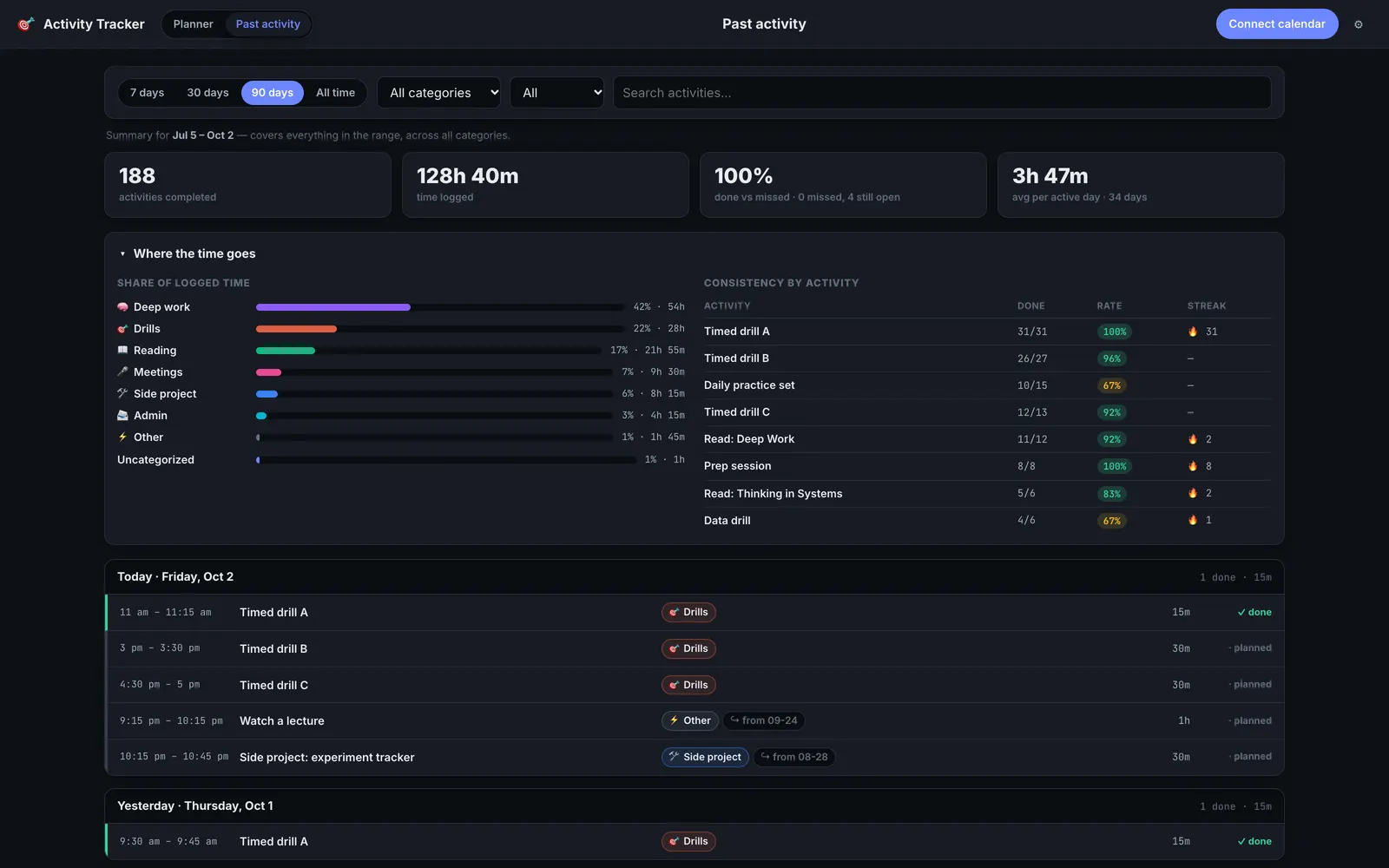
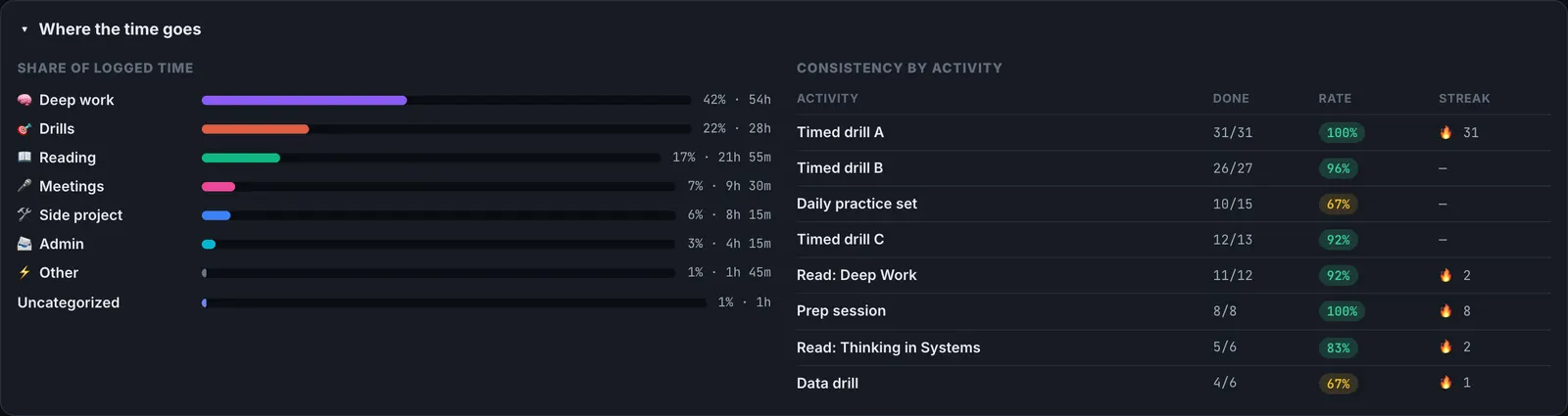
Measure effort per activity. Over the log sit the share of time per category and a consistency table: days done over days planned, and the current streak, per activity. The table is a scoreboard, not a to-do list. The queue decides the next hour; the table decides next week.
What it does
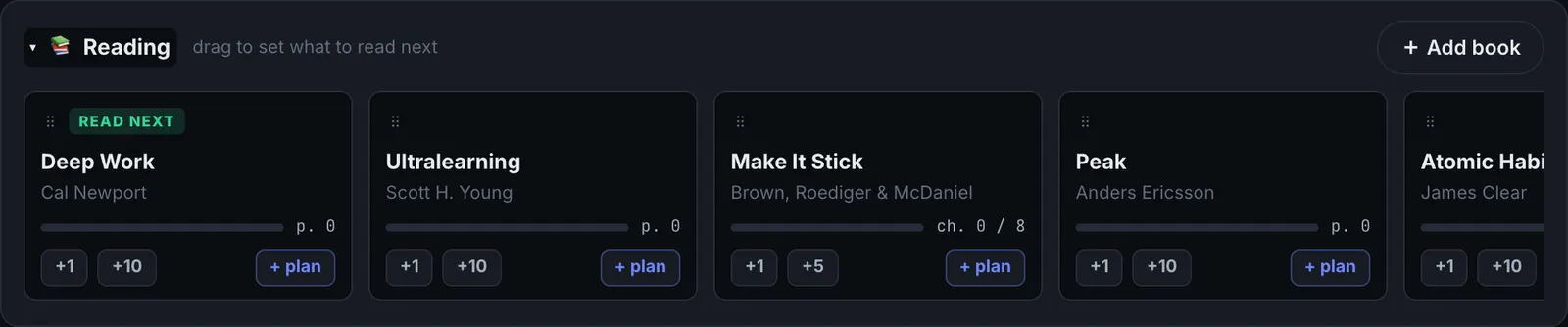
A reorderable queue with a NOW card, a timeline that schedules itself around the calendar, recurring daily blocks, carry-over of unfinished work, a shelf for books read in parallel, and a past-activity view with time share and consistency. It is one Express process over one SQLite file with a React front end, 96 tests and no SDKs, and nothing leaves the machine: no account, no cloud, no telemetry. It is open source under MIT, and the starter categories are generic so it forks cleanly into any routine.
What the data says
The plates above are the real log with the activities renamed. Over 34 active days: 188 activities completed, 128 hours 40 minutes logged, about 3 hours 47 minutes per active day, and nothing missed, because unfinished work was carried forward rather than dropped. One timed drill ran 31 of 31 planned days and was clearly matured; the daily practice set, the hardest item on the list, sat at 10 of 15. That gap was invisible while planning hour by hour and took one glance at the table to see, and the next week’s queue put that set first each morning.
Reflection & tradeoffs
- Removing the decision mattered more than any feature. The NOW card is a trivial component, and it is the one that changed behaviour, because the planning happens when the hard task still gets a fair hearing.
- The scoreboard and the to-do list had to be separate. A table that also nagged would have been ignored. Keeping it to a weekly instrument is why it was read at all.
- A ledger, not a mutable record. Computing history from live rows looked simpler and was wrong the first time a category was renamed. Append-only with snapshots is the only version that stayed true.
- The tracker measures the denominator, not the numerator. The drill scores live in the drill tools. What this gives them is reliable hours per activity, so improvement can be read per unit of effort.
- What I would build next: notifications before a planned block starts and a flag when one passes untouched; a live timer per task, the way Sunsama runs one, so the log holds actual hours next to planned ones and planned over actual becomes the efficiency figure each drill is judged by; and a weekly review screen that proposes next week’s queue from the consistency table, so the thermostat is as explicit as the thermometer.
Screens